STF App — Digitizing Team Culture Workouts for Coaches
Transforming static PDFs into a mobile-first coaching platform
Role: UX Design Intern
Tools: Figma, Google Docs
Timeline: October 2025 - December 2025
Deliverables: Interactive prototype, Design Doc
The Challenge
What existed
STF Workout Guides delivered as PDFs
Content-rich but difficult to use live
Problems
Hard to manage multiple PDFs
No progress tracking
Time-consuming session prep
Not optimized for mobile or field use
Coaches derive value from the STF guides, but their current format requires time-consuming preparation and limits usability during live sessions. This forces coaches to manually adapt the materials, reducing consistency of use and long-term engagement.
Goals
Business / Organizational Goals
● Increase adoption and consistent use of STF materials
● Modernize delivery while preserving STF’s tone and structure
● Create a scalable foundation for future features (analytics,
community, expansion)
User Goals
● Quickly find and run relevant workouts
● Minimize prep time
● Track progress across modules
● Use materials directly during practices or meetings
Understanding the Users
Personas
Primary Persona: Charlie White - The Current User
Role: Division 1 College Football Coach
Charlie White is a Division I football coach with over a decade of experience leading student-athletes on and off the field. He values team culture and character development as much as athletic performance, and he regularly uses the STF Workout Guides to help his players build a stronger team culture. Charlie often adapts the guides to fit his team’s schedule, but he finds managing the PDFs and materials across a busy season challenging. He’s looking for a more efficient, digital way to integrate these lessons into his coaching routine.
Needs: Efficient access to STF workouts, progress tracking, centralized notes and materials
Pain Points: Managing PDFs, no built-in tracking, time-consuming prep
Motivation: Wants practical tools that fit seamlessly into his workflow.
Secondary Persona: Evelyn Brooks - The New User
Role: High School Basketball Coach
Evelyn Brooks is a high school basketball coach who’s passionate about developing a strong team culture among her players. She’s heard of the STF program through coaching networks but hasn’t used the materials herself. Between practices, classes, and games, she doesn’t have time to sort through long PDFs or figure out how to fit them into her team’s schedule.
Needs: Simple onboarding, clear guidance on where to start, mobile-friendly resources
Pain Points: Overwhelmed by PDFs, unclear entry point, limited time
Motivation: Wants culture-building to feel natural, not like extra work.
Current Experience vs. Future Experience
Current Experience
1. Locate PDF (email, Dropbox, website)
2. Read and plan manually
3. Run session
4. Take notes elsewhere
5. No clear record of past usage
Future Experience
1. Open app or platform
2. Search or browse workouts
3. Follow guided session in-app
4. Take notes and reflections digitally
5. Progress auto-tracked
Research and Key Insights
Coaches prioritize efficiency above all else
Navigation, content hierarchy, and workflows must minimize time to start and complete a session.
Static PDFs are difficult to use during live sessions
Content must be broken into scannable, guided steps that can be followed in real time on mobile or tablet devices.
Coaches struggle to track which workouts they’ve already completed
The platform should automatically track progress and clearly indicate completed modules and sections.
New or prospective users feel overwhelmed by the volume of material
The experience should include a clear entry point, recommended flow, and lightweight onboarding to guide first-time users.
Workouts follow a consistent structure across PDFs
The digital experience should mirror this structure (Intro → Workout → Reflection) to maintain familiarity and reduce learning curve.
The Solution
What The App Is
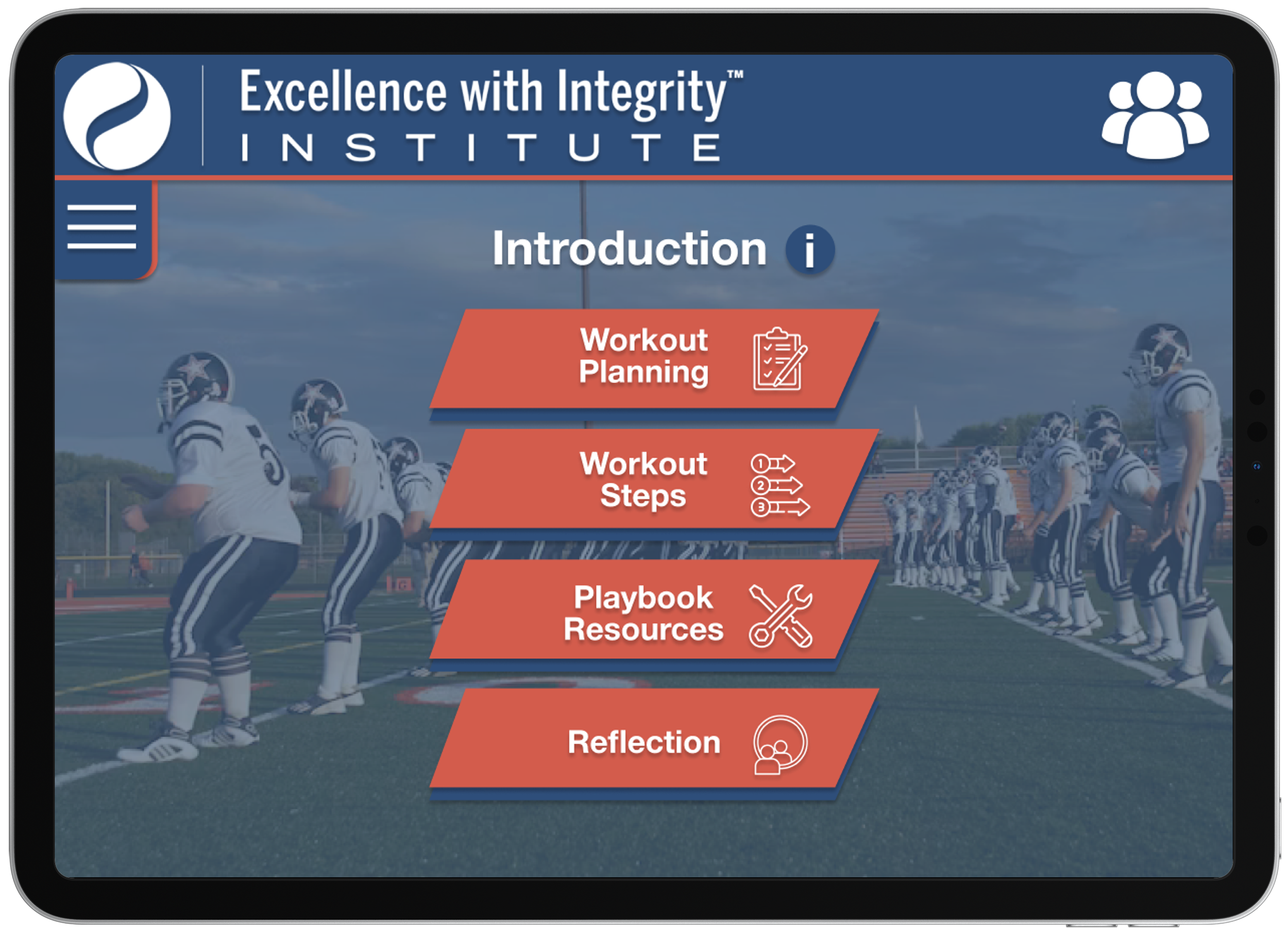
The STF App is a mobile-first digital platform designed to help coaches efficiently plan, deliver, and track team culture workouts. It transforms existing STF PDF guides into a guided, interactive experience that supports real-time use during practices, meetings, and team sessions.
The app prioritizes clarity, efficiency, and progress visibility, allowing coaches to focus on leading their teams rather than managing materials.
What The App Is Not
Not a traditional online course platform
Not a video-only content library
Not a rigid, one-size-fits-all workflow
Instead, the STF App is designed as a practical coaching tool that supports flexible use while preserving the intended structure of each workout.
Core Features
Mobile-friendly, responsive design for use on the field or in meetings
Guided module flow following Intro → Workout → Reflection
Automatic progress tracking across workouts and modules
Search and filtering to quickly find relevant workouts
Built-in notes and reflection tools tied to each session

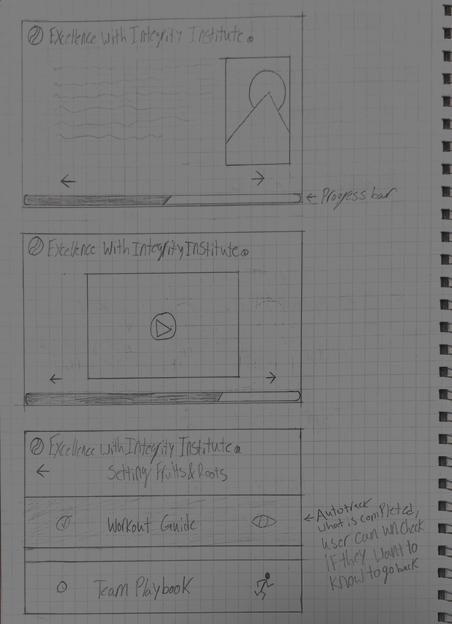
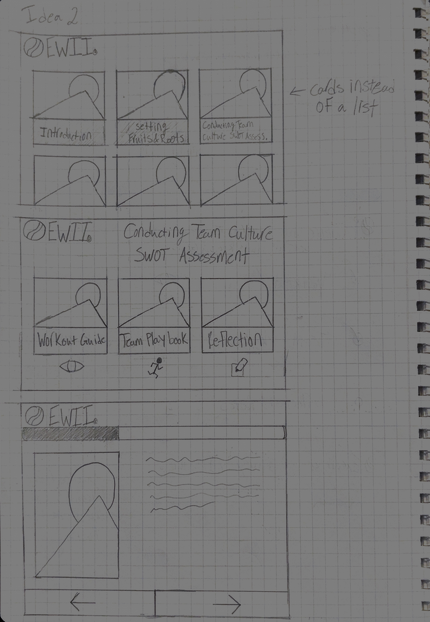
Early Design Exploration (Sketched Lo-Fi)
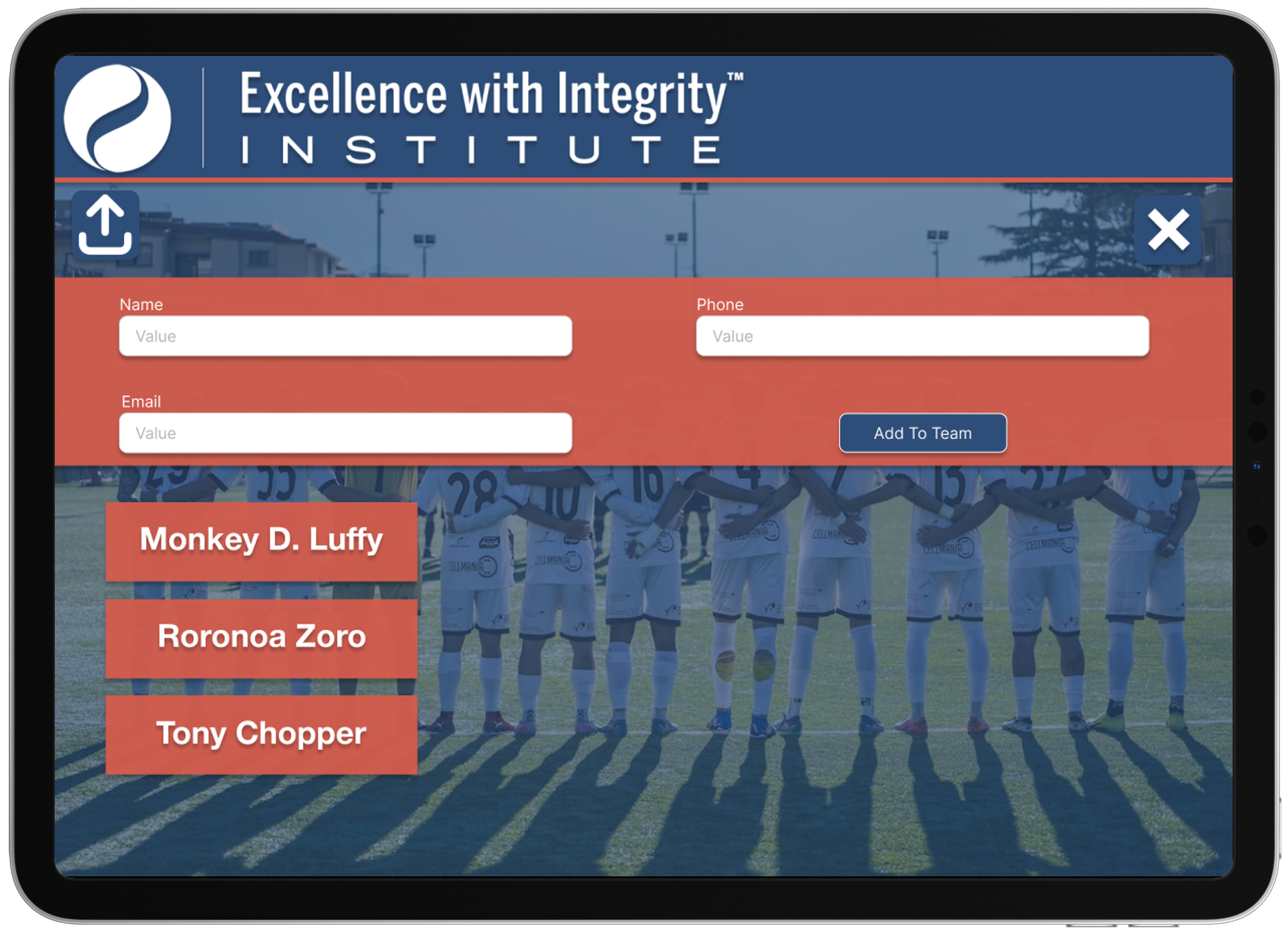
Explored
List vs card layouts
Linear vs modular flow
Sidebar navigation
Why
Reduce cognitive load
Preserve intended module order
Support different coaching styles
Prototyping
Low-Fidelity Questions
Should modules be experienced in a guided flow or selected individually?
How can navigation support fast access during live sessions?
Where should progress indicators live to remain visible but unobtrusive?
How much content can be shown on-screen without overwhelming users?
Outcomes & Design Changes
A guided module flow was prioritized to maintain structure, with flexibility on order.
Navigation was simplified to reduce friction and support quick entry into sessions.
Progress indicators were made persistent and more prominent.
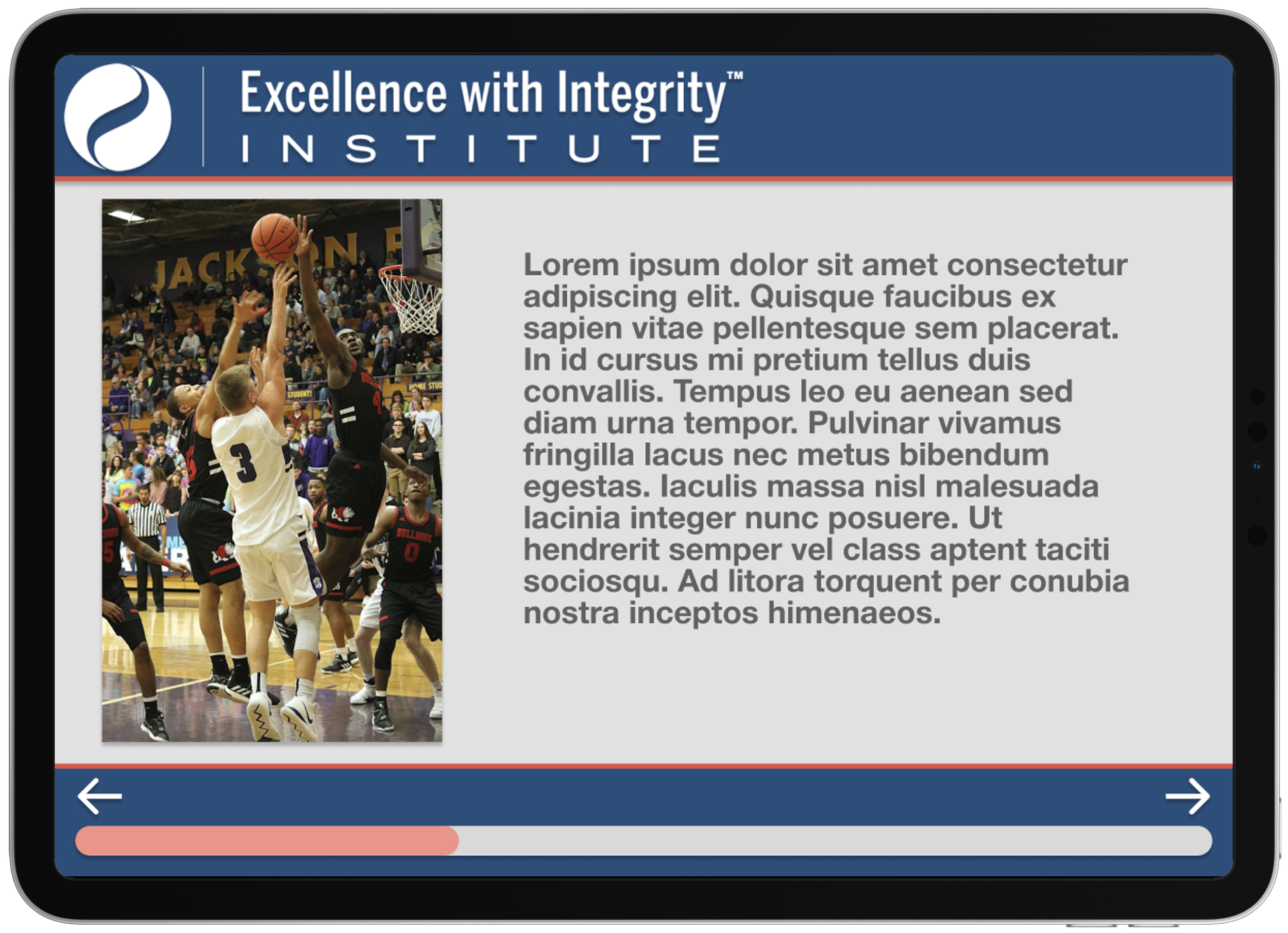
Content was condensed into short, scannable sections for real-time use.
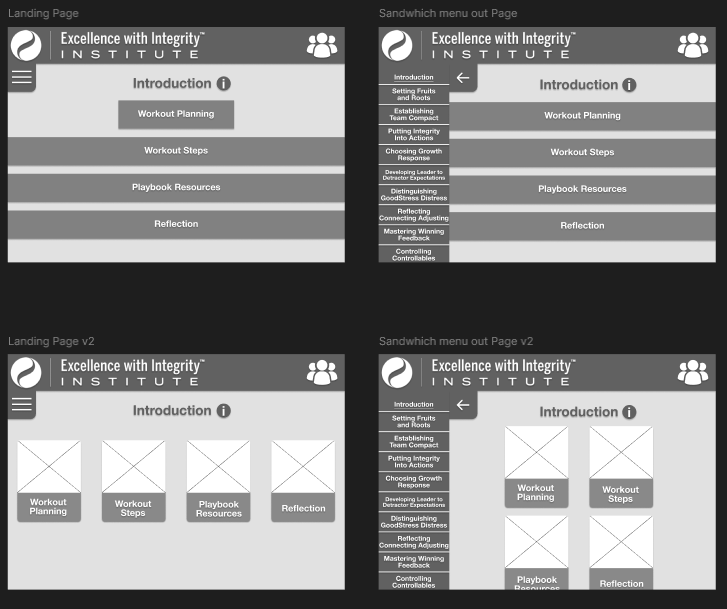
High-Fidelity
Visual refinement
Brand alignment with EWII
Mobile-first considerations
Style Guide
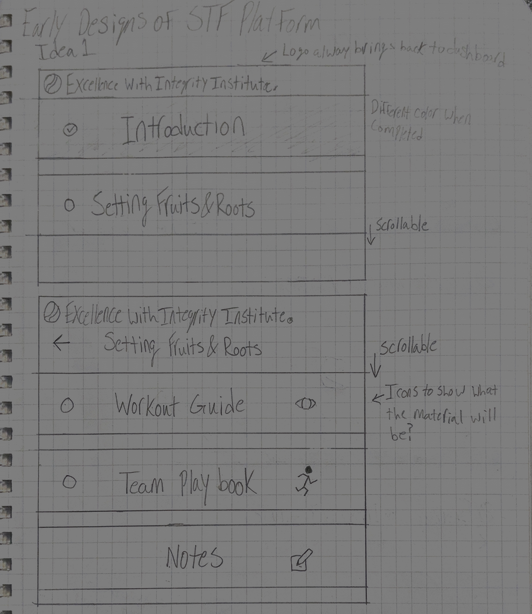
Color Palette
The visual design of the STF App follows the existing brand identity of the Excellence With Integrity Institute to ensure consistency and trust with current users.

Design Principles
Clean, minimal interface to reduce cognitive load during live sessions
High contrast for outdoor and on-the-field visibility
Emphasis on clarity and hierarchy over decorative elements
Consistent use of accent color to guide user attention
Usability Testing (Planned)
Due to timeline and access constraints, formal usability testing was planned but not conducted during this phase.
Testing Goals
Validate clarity of navigation and module structure
Measure ease of running a full STF session using the platform
Identify friction points during live or time-constrained use
Proposed Test Participants
Current STF coaches familiar with the PDF workout guides
New or prospective coaches with no prior STF experience
Key Tasks
Find a relevant workout using the menus
Start and complete a full module
Engage with reflection tools
Review previously completed workouts and progress
Metrics to Observe
Time to locate and start a workout
Errors or points of confusion during navigation
Drop-off points within a module
Qualitative feedback on clarity and usefulness
What I Learned
Working on the STF App gave hands-on experience designing within real-world constraints, showing the importance of aligning design with stakeholder goals and existing content when turning content-heavy PDFs into a mobile-first experience. Early research and low-fidelity exploration clarified workflows and guided layout decisions, while evaluating no-code platforms highlighted how technical constraints shape UX, emphasizing the balance between ideal design and feasibility.